Control costs

Live job costing from labour, materials and machines.

Manage teams

Plan people, hours and schedules in one place.

Track materials

Know exactly what you own and where it is.

Run projects

One system from kickoff to closeout.

Not sure where to start?

See the whole platform mapped to your day-to-day in a 20-minute walkthrough.

Enterprise demo account

A test environment configured around your own processes, available on request.

SolutionsOrders
Orders module

Purchasing that connects suppliers, stock and the project it was bought for.

RelayPlan Orders brings purchase requests, approvals, supplier orders and deliveries into one flow — so committed cost is visible before the invoice arrives and nothing is received twice.

Set up in minutesWorks with all modules

Purchasing without the paper trail

Materials get ordered by phone, confirmed by email and remembered by one person. Orders makes the whole chain visible, from request to received goods to project cost.

One flow, end to end

Request, approve, order, receive — each step recorded against the same order.

Approvals before spending

Set who can order what, and up to which value, so purchases are authorised in advance.

Committed cost visible early

An open order already affects the project’s cost picture — no nasty surprise at invoicing.

Goods-in raises stock

Receiving a delivery updates inventory and valuation automatically, with no double entry.

Why purchase orders matter more than contractors think

On many sites, ordering is informal: someone rings the merchant, material shows up, and the office finds out when the invoice does. It works until you try to answer a simple question — how much has this job already committed?

A purchase order is what makes that question answerable. In RelayPlan every order carries its project and cost centre, so the moment it is approved the commitment is visible in the job’s cost picture, weeks before the invoice lands.

The second benefit is control at goods-in. Deliveries are received against the order, so short deliveries and wrong items are caught at the gate, stock rises by exactly what arrived, and invoice checking becomes a comparison rather than an investigation.

Van being loaded with materials for a site delivery
What an order carries

Supplier and contact · project and cost centre · line items with quantity, unit and agreed price · requested and confirmed delivery dates · approver and approval date · delivery status and received quantities · attached quotes and confirmations.

Everything the Orders module does

From a foreman’s request to material on the shelf and cost on the job.

Construction worker in a hard hat using a phone on site

Requests from site

Foremen raise material requests from the app against a project, instead of ringing the office and hoping.

Requests raised on mobile
Tied to a project and cost centre
Visible queue for purchasing
Signing a contract document

Approvals & limits

Define who may approve what, and up to which value, so spend is authorised before it is committed.

Value thresholds per role
Approval trail on every order
Nothing ordered without authority
Builders merchant behind the counter

Suppliers & pricing

Keep supplier records with contacts, agreed prices and history, so ordering does not depend on one person’s memory.

Supplier records and contacts
Agreed and last-paid prices
Order history per supplier
Delivered materials ready to be received into stock

Goods-in & receipts

Receive against the order, including partial deliveries. Stock and valuation update automatically.

Full and partial receipts
Short and wrong deliveries flagged
Stock raised at the received quantity
Cost documents and calculator on a desk

Committed cost

Approved but uninvoiced orders count as commitment on the project, so budget vs. actuals tells the truth.

Committed vs. invoiced clearly separated
Feeds project budget comparison
No hidden spend in open orders
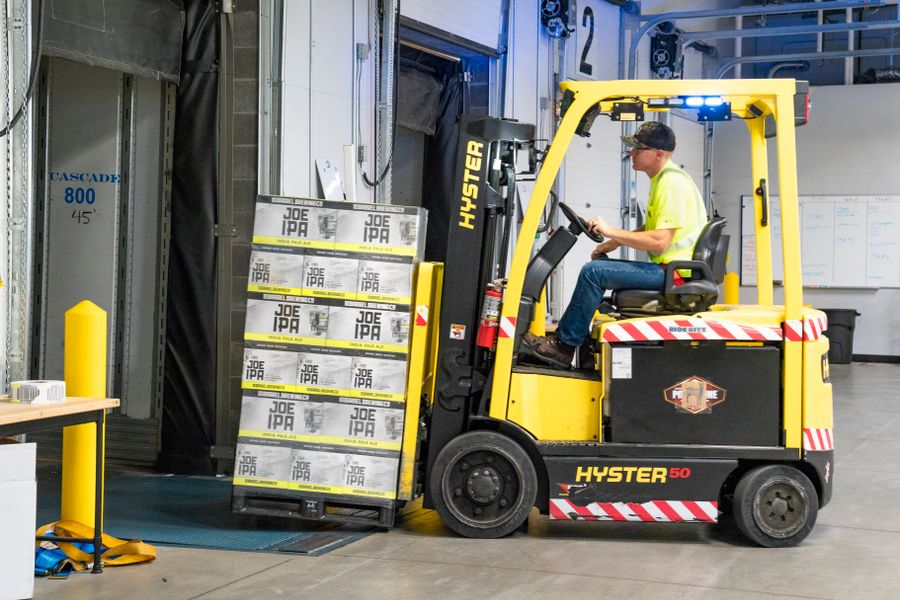
Forklift unloading a delivery at the loading dock

Reports & export

Spend per supplier, per project and per period, plus open-order lists for the people chasing deliveries.

Open orders and delivery status
Spend by supplier, project or period
Excel / CSV export

Purchasing under control in four steps

Start with your main suppliers and the projects that matter.

01
Add suppliers

Record your regular merchants with contacts and agreed prices.

02
Set approval rules

Decide who can order what, and above which value approval is needed.

03
Order against projects

Every order carries its project and cost centre from the start.

04
Receive at the gate

Book deliveries in against the order; stock and cost update themselves.

0
orders without a project
Early
visibility of committed cost
1
entry from order to stock
100%
deliveries checked against an order

Stronger with every module you turn on

Orders is where money leaves the business, so it connects purchasing to stock and to the job.

See all solutions →
Stock

Received goods raise inventory and valuation automatically.

Warehouse

Deliveries are booked into the right location.

Projects

Committed and invoiced cost appear on the cost centre.

Fleet

Parts and service purchases tracked per vehicle.

Orders — FAQ

They can raise requests. Whether a request becomes an order automatically or needs approval depends on the rules and value limits you configure per role.
You receive what arrived. The order stays open for the remainder, stock rises by the received quantity only, and the outstanding balance appears in your open-order list.
Yes, as committed cost. It is shown separately from invoiced cost, so you can see both what has been spent and what is already promised.
Yes. Quotes, confirmations and delivery notes attach directly to the order, so the whole conversation lives with the record.
Not through a public API today. We do help firms set up practical exchanges — spreadsheet imports, email flows and custom connections. Contact us for integrations and we will look at your suppliers specifically.
Yes. Spend reports break down by supplier, project and period, which is usually enough to renegotiate your main merchant terms.
You can still receive them, but they are flagged as unmatched so somebody has to attach them to an order or a project — which is exactly when such deliveries get questioned.

Bring purchasing into the same system.

Start free and connect orders, deliveries, stock and project cost.