
Control costs

Live job costing from labour, materials and machines.

Manage teams

Plan people, hours and schedules in one place.

Track materials

Know exactly what you own and where it is.

Run projects

One system from kickoff to closeout.

Not sure where to start?

See the whole platform mapped to your day-to-day in a 20-minute walkthrough.

Enterprise demo account

A test environment configured around your own processes, available on request.

RelayPlan Enterprise

When the standard packages stop where your processes begin.

For construction and engineering firms with multiple roles, locations and requirements that go beyond a fixed feature list — custom modules, your choice of hosting, and an implementation designed around how your company actually works.
Self-hosted or managed cloud Custom modules Phased rollout
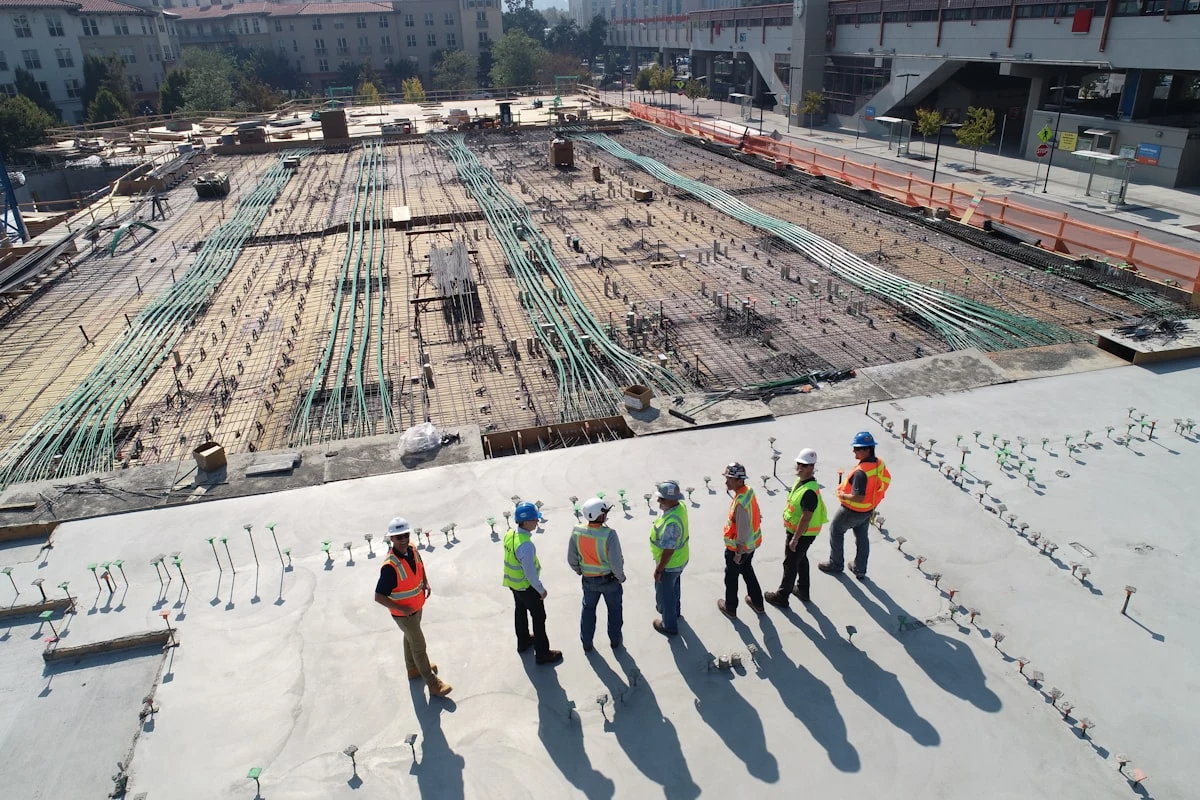
Construction and engineering site managed with RelayPlan Enterprise
30–45 min technical workshop to scope your pilot
Who Enterprise is for

Built for organisations, not just teams

Read the full section →

A construction and engineering environment needs a single data flow between the project, the field, the warehouse and management. Enterprise is where that flow gets shaped around your organisation rather than the other way round.

01
Operations spread across projects

Managers, field crews, warehouse, administration and leadership all need to work from the same truth.

02
Costs must be visible as they happen

Hours, material, equipment and cost centres have to connect to the project while decisions can still be made.

03
Documents under control

Contracts, certificates, permits and safety records cannot live in folders and spreadsheets.

04
Complexity that needs flexibility

More roles, more locations and more involved processes require a system that adapts to the organisation.

What Enterprise adds

Read the full section →

Everything in the standard packages, plus the flexibility that larger and more complex operations require.

The Enterprise stack

Configurable on top, dependable underneath

The capability layer is shaped around your organisation — workflows, permissions, integrations and reporting. Underneath it sits a foundation that is not negotiable: security, a full audit trail, and performance that holds as you scale.

TOP

Your configuration — the modules, rules and structures specific to your company.

MID

Capability — people & access, workflows, data & governance, integrations and reporting.

BASE

Foundation — security, audit & activity log, and performance at scale.
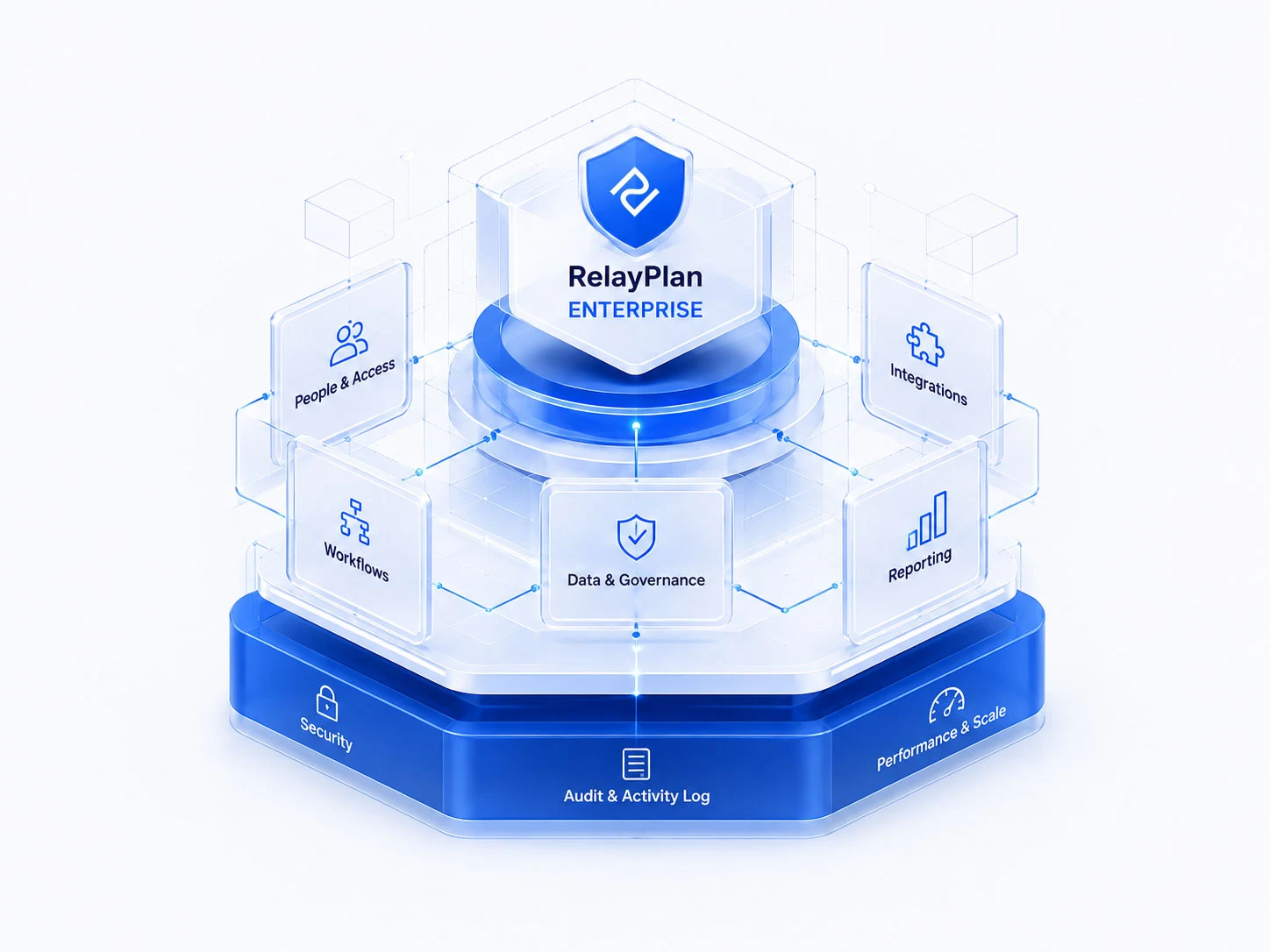
The RelayPlan Enterprise stack: a security, audit and performance foundation supporting people and access, workflows, data and governance, integrations and reporting
Custom-tailored modules

When your process does not fit a standard feature, we build for it — additional modules, reports and automations, or changes to existing workflows, forms, permissions and approvals.

New modules built to your specification
Existing workflows and data structures adapted
Controlled process with a test environment before production
Hosting on your terms

Run RelayPlan in a cloud environment we manage end to end, or self-hosted inside your own infrastructure when policy or data residency requires it.

Managed cloud with automatic updates
Self-hosted deployment supported
Same application and mobile access either way
Integration with your systems

Operational data is created in RelayPlan and passed on to accounting and other systems, reducing double entry across the business.

CSV/Excel, structured exports or API connections
Projects, cost centres, partners, employees, items, hours and materials
Integration extended in stages, not all at once
Roles, units and locations

Permissions follow the user’s function, scoped by company, business unit or individual project, with an activity log across operational changes.

Access rights per module and per role
Scoping by company, unit or project
Traceability of operational changes
Reporting built around you

Operational and financial reports, automatic periodic reporting, and indicators defined for your organisation rather than a generic template.

Plan against actuals, cost and margin by project or phase
Automatic periodic reports
Custom indicators and exports
Guided rollout and support

A phased introduction with data migration, workshops for each team, measurement of the effect and adjustments as processes settle.

Diagnostics, pilot, import, workshop, rollout
Migration of items, employees and projects
Effect measured against agreed indicators
Deployment

Your infrastructure, or ours

Some organisations have policies about where operational data lives. Enterprise supports either model, with the same application and the same mobile access for the field.

Managed by us
Cloud, fully managed

Access through a browser with no local installation. We handle the infrastructure, updates and backups, so your team gets one version of the system across every location.

Centralised environment across sites and offices
Automatic updates, one system version
Scales with your number of users
Your servers
Self-hosted

Run RelayPlan inside your own infrastructure when data residency, internal policy or an existing IT estate requires it. We support the deployment and the upgrade path.

Operational data stays within your environment
Fits existing internal security requirements
Supported deployment and upgrade path

Example Enterprise sections

A modular design means you introduce capability in stages and adapt it to the processes, roles and responsibilities in your organisation.

Dashboard and KPIs
Active projects, deadlines and deviations
Realised hours and costs
Critical alerts
Filters by unit or project
Project centre
Phases, milestones and responsible people
Budget and cost centres
Documentation and photographs
Connection to the field and warehouse
Crew scheduling
Weekly and daily schedules
Employee availability
Conflicts, absences and constraints
Teams notified of changes
Field work
Records of hours and attendance
Site diary and reports
Photographs, locations and notes
Confirmation of completed work
Documents and approval
Contracts, plans and certificates
Review and approval statuses
Reminders for missing documents
Audit trail of changes
Tasks and communication
Priorities, deadlines and owners
Comments and attachments
Escalation of delays and blockers
Overview by department or project
Warehouse and material
Receipts, issues and transfers
Minimum stock and ordering needs
Serial numbers and traceability
Material cost on the project
Equipment and assets
Assignment to employees and crews
Servicing, inspections and validity
Location and availability
History of use and costs
HR records
Contracts, permits and training
Alerts before validity expires
Competencies and availability
Linked to hours and projects
Costs and profitability
Plan against actuals
Labour and material cost
Margin by project or phase
Early detection of overruns
Reports and analytics
Operational and financial reports
Export to Excel or accounting
Automatic periodic reports
Indicators defined for your firm
Administration and rights
Roles and permissions per module
Access by company, unit or project
User activity log
Process and code-list settings
The data flow

From planning to a real picture of costs

Read the full section →

Every entry made in the field builds the data layer used for settlement, reporting and decisions. Data is no longer re-typed — it is created where the work actually happens.

1
Project

Structure and cost centres.

2
Schedule

Crew, tasks and location.

3
Field

Hours, material and notes.

4
Warehouse

Issues, responsibility, stock.

5
Control

Approvals and corrections.

6
Reports

Costs, margin and export.

Implementation

Designed to show value early, without disrupting operations

Read the full section →

We recommend starting with one live project and clear indicators — timeliness of hour entry, stock variance, administrative time and cost visibility — then expanding once the habit holds.

Throughout, we measure the effect rather than assuming it, and adapt the configuration to the way your teams actually work.

Talk to us about your rollout →
01
Diagnostics

Mapping your processes, roles and data.

02
Pilot

A selected project or part of a process.

03
Data import

Items, employees, projects and warehouses.

04
Workshop

Project managers, administration, warehouse and field.

05
Rollout

Expansion across projects and departments.

06
Optimisation

Reports, adjustments and integrations.

Evaluate it properly

Enterprise demo account, on request

Rather than a fixed trial, Enterprise evaluations start with a test environment configured around your own processes — so what you are assessing resembles how your company would actually run.

Enterprise — FAQ

There is no fixed list price. Scope, number of users, hosting model, custom development and integration work all differ per organisation, so pricing is defined after a short technical workshop where we establish what you actually need.
Yes. An Enterprise demo account is available on request. Rather than a generic trial, we configure a test environment around your own processes so the evaluation reflects how your company would really use the system.
Yes. Enterprise supports both a fully managed cloud deployment and self-hosting inside your own infrastructure, for organisations with data-residency requirements or an existing IT estate.
That is the main reason Enterprise exists. We build additional modules, processes, reports and automations, and adapt existing modules — workflows, forms, permissions, approvals and data structures — through a controlled process: analysis, specification, test environment, approval, then staged release to production.
Yes. Depending on the target system, we support structured exports, CSV/Excel transfer or API connections, synchronising projects, cost centres, partners, employees, items, hours, materials and documents. The integration layer is designed to be extended in stages.
It depends on scope, but the approach is always phased: diagnostics, a pilot on one project or process, data import, workshops for the teams, then rollout and optimisation. The aim is to demonstrate value early without overloading the operation.
Roles and permissions are granted by user function and can be scoped by company, business unit or individual project, with an activity log for traceability of operational changes.
We agree measurable indicators up front — typically timeliness of hour entry, stock variance, administrative time and cost visibility — and review them against the pilot rather than relying on impressions.

Let's scope it together.

A 30–45 minute technical workshop: we review your processes, choose a pilot scope and define measurable goals for the rollout. Demo account on request.