Control costs

Live job costing from labour, materials and machines.

Manage teams

Plan people, hours and schedules in one place.

Track materials

Know exactly what you own and where it is.

Run projects

One system from kickoff to closeout.

Not sure where to start?

See the whole platform mapped to your day-to-day in a 20-minute walkthrough.

Enterprise demo account

A test environment configured around your own processes, available on request.

SolutionsWarehouse
Warehouse module

Know what you own, where it is, and what it just cost you.

RelayPlan Warehouse gives construction and field-service firms one live record of every material, tool and piece of equipment — across stores, sites and vans — with every movement tied back to a project.

Set up in minutesWorks with all modules

Why firms move their warehouse into RelayPlan

Materials are usually the second-biggest cost on a job and the least visible. The warehouse module makes that cost traceable from the moment stock arrives to the moment it is consumed.

One record, every location

Central store, site containers and service vans all live in the same system, with stock counted per location.

Find anything in seconds

Search by item, category or supplier and see exactly what is on hand, what is reserved and what is out on a job.

Real material cost per project

Issue stock to a project and the cost lands on its cost centre immediately, at real valuation.

No more emergency runs

Minimum levels trigger low-stock alerts before a crew discovers the shelf is empty at 7am.

What a digital warehouse actually changes on site

Most contractors run their warehouse on memory, a whiteboard and a spreadsheet that is out of date by Tuesday. Nobody knows how much cable is really left, tools disappear between sites, and material cost only surfaces when the supplier invoice arrives.

A digital warehouse replaces that with a single live record. Every receipt, issue, transfer and return is a logged movement with a person, a time and a project attached. Stock levels are always current because they are a consequence of real actions, not a periodic count.

The payoff is threefold: fewer emergency purchases at retail prices, far less shrinkage because every tool has a keeper, and material costs that appear on the project the day they are consumed rather than six weeks later.
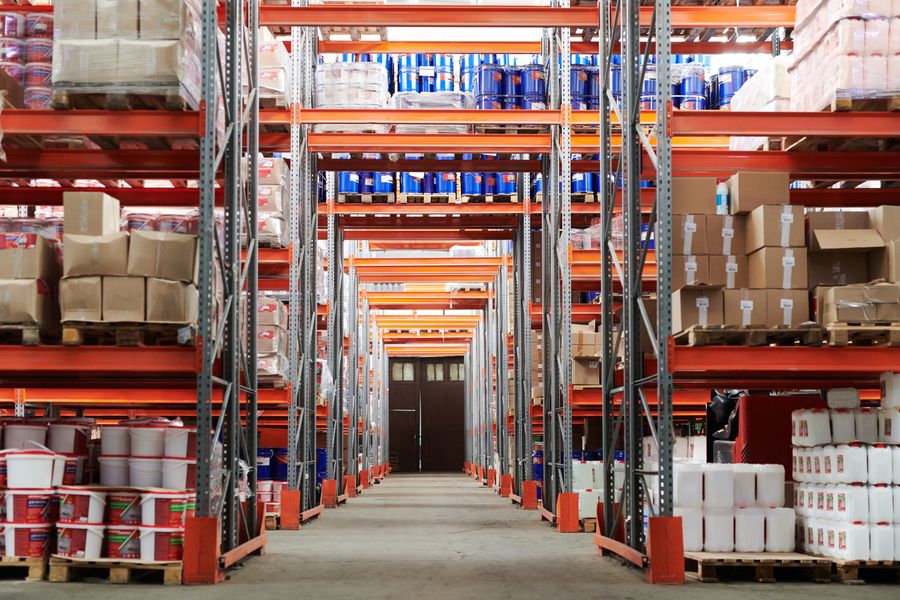
Warehouse racking stocked with construction materials
What firms typically track

Consumables (cable, fixings, pipe, sealant) · tools and power tools with a named keeper · measuring and safety equipment · site containers and van stock · returnable equipment on hire — each with its own category, unit and minimum level.

Everything the Warehouse module does

From goods-in to the last metre of cable consumed on site.

Large storage hall for building materials

Locations & organisation

Model your real storage: main warehouse, site containers, vans and external stores. Move stock between them with a logged transfer.

Unlimited locations and sub-locations
Van and site stock treated as first-class
Every transfer logged with person and time
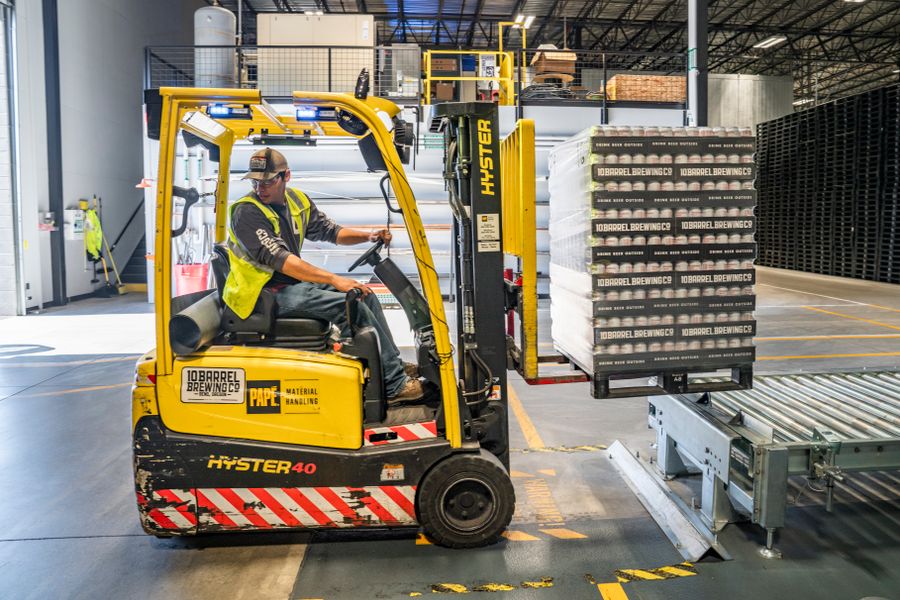
Forklift loading materials in a warehouse

Goods in & out

Receive deliveries against orders, issue materials to a project in a couple of taps, and record returns of anything that comes back unused.

Receive against purchase orders
Issue to project and cost centre
Returns and write-offs handled cleanly
Carpenter using power tools on a construction site

Tools & equipment

Track tools individually, with a named keeper and a location. When something goes missing you know who had it last and on which job.

Per-item keeper and current location
Check-out and check-in history
Service and calibration dates
Construction worker in a hard hat using a phone on site

Mobile in the field

Foremen issue materials and confirm receipts from the site itself, instead of noting them down and typing them up later.

Issue and receive from the mobile app
Stock updated the moment it is issued
Barcode-ready scanning
Cost documents and calculator on a desk

Valuation & costing

Stock is valued continuously, so the cost that lands on a project is the real cost of the goods you actually issued.

Continuous stock valuation
Material cost posts to the cost centre
Total warehouse value at any moment
Warehouse team moving a pallet of materials

Reporting & export

Stock levels, movement history, consumption per project and valuation reports — all exportable for your accountant.

Movement history with full audit trail
Consumption per project and period
One-click Excel / CSV export

Your warehouse online in four steps

No barcode project, no consultants. Start with what matters and grow.

01
Add locations

Create your warehouse, containers and vans as locations in the system.

02
Import your items

Bring in materials and tools from a spreadsheet, or add them as you go.

03
Set minimum levels

Tell RelayPlan when to warn you, so nothing runs out mid-job.

04
Issue to projects

From day one every issue is tracked and costed against the right job.

100%
of movements traceable
−25%
typical shrinkage reduction
Live
stock levels, always current
0
spreadsheets to reconcile

Stronger with every module you turn on

Warehouse is where materials enter your cost picture. Each connected module makes that picture more complete and removes another manual step.

See all solutions →
Stock

Live levels, valuation and low-stock alerts on top of the same data.

Projects

Issued materials post straight to the project cost centre.

Orders

Purchase orders flow into goods-in without re-typing.

Fleet

Van stock and equipment usage tracked per vehicle.

Warehouse — FAQ

No. RelayPlan works perfectly with manual selection from a searchable list, which is how most firms begin. The system is barcode-ready, so you can add scanning later using ordinary phone cameras — no dedicated hardware required.
Yes. Vans, containers and temporary site stores are locations exactly like the main warehouse. You can see what is in each one and transfer between them with a logged movement.
When stock is issued you pick the project and cost centre. The material cost posts to that centre immediately at current valuation, so job costing updates without any accounting step.
Yes. Materials, tools and equipment import from Excel or CSV, including categories, units, suppliers and minimum levels.
Both. Consumables are tracked by quantity; tools and equipment can be tracked as individual items with a named keeper, a location, and check-out history.
Each item can have a minimum level. When on-hand quantity drops below it, the item appears in low-stock alerts so purchasing can act before a crew is blocked.
Only if you let them. Permissions are role-based, so warehouse users can issue and receive stock without seeing budgets, margins or other financial data.

Bring your warehouse under control.

Start free and have your materials, tools and locations in RelayPlan today.